See the mark work, start to finish.
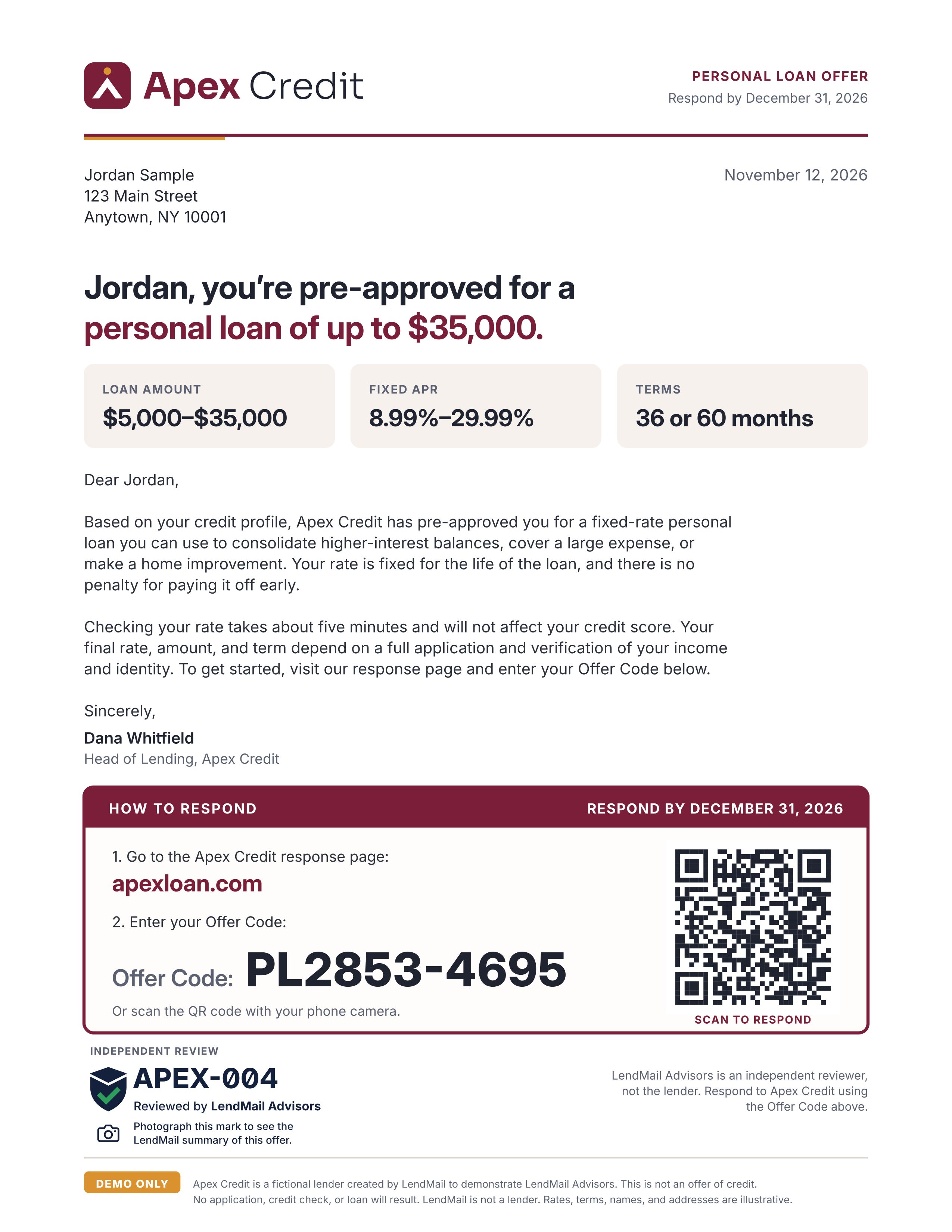
Photograph a sample offer letter that carries the LendMail Advisors mark, and land on the lender’s response page with the offer code already filled in. Everything here is fictional: Apex Credit is not a real lender, and nothing you enter goes anywhere.
Step 1
Print or open the Apex Credit letter
Apex Credit’s response box shows the Offer Code PL2853-4695, its own response address (apexloan.com, illustrative only) and a QR code. The LendMail Advisors mark (code APEX-004) sits just below it: LendMail is the independent third party, and the lender keeps its own response page. In this demo the scanner and QR code open a sample Apex page on LendMail.
Step 2
Photograph it with the LendMail scanner
On your phone, open the scanner and take a photo of the letter (or the letter on another screen). No printer? The scanner has a sample photo you can use.
lendmail.fit/demo/scanStep 3
Land on the lender page with the code ready
The scanner recognizes the LendMail Advisors mark, copies the Offer Code PL2853-4695 and opens the Apex Credit response page with it filled in.
Apex Credit response page